Set the camera to shoot in RAW (this will give you the most digital information)
Set the ISO to 100 (this will reduce “noise” in the digital image)
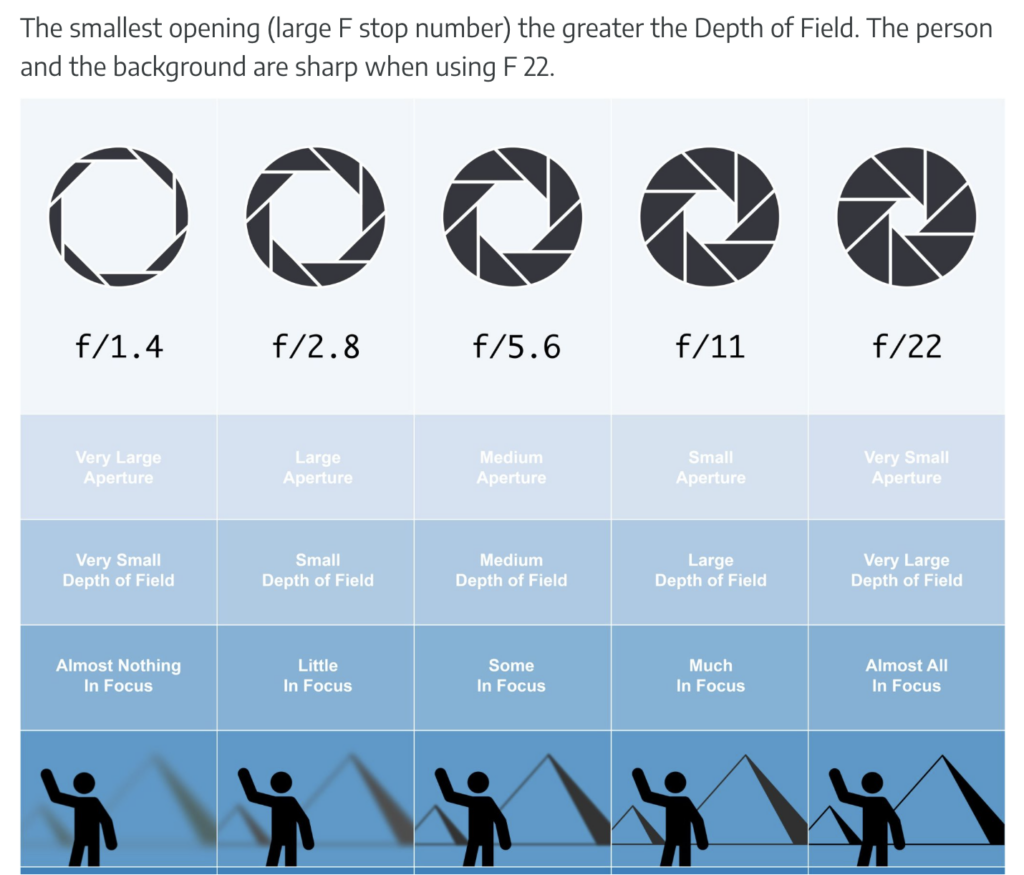
Set the camera to “aperture priority.” This will allow you to control depth of field in your image. “Depth of field” is Depth of field is the distance between the closest and farthest objects in a photo that appears acceptably in focus.
Set the aperture to f/8 or higher (this will put more of the image in focus)
Set the white balance manually
If you have mixed lighting you can create a custom white balance
Optional – Set the camera to timer mode (this is to minimize camera shake)